Sucholary is a Chrome extension for reading hard academic papers. Highlight a passage that is not clicking and it reworks the text into plainer language, right there on the page, without hopping to another tab. I built it for Suyeon, my girlfriend, whose hobby is reading research papers.
Inspiration
Watching Suyeon paste confusing lines into Gemini, tab by tab, to understand what she reads.
Suyeon reads research papers for fun, in her field and well beyond it, and takes side notes as she goes. When a concept does not click, she works it out from her notes, and lately she started asking Gemini to explain it at her level. It was a fascinating way to study, but a repetitive one: copy a sentence, switch tabs, paste, read, switch back. And across a long session Gemini would lose the thread, so the explanations drifted in difficulty and stopped sounding consistent. I wanted to fold that "translation" into the page itself, automatic and in place, instead of a loop of tabs and clipboards.
How it works
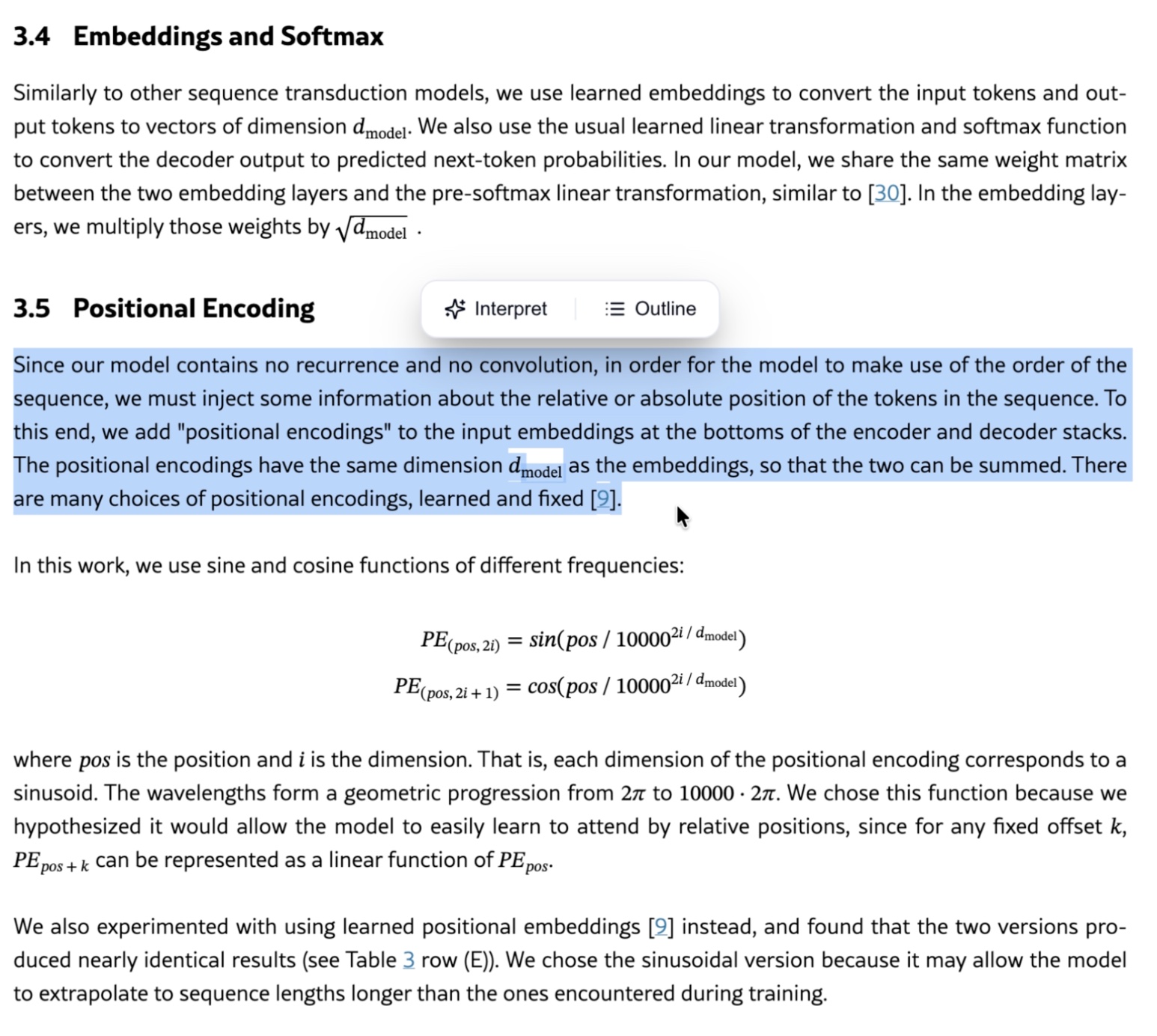
Highlight a passage, pick Interpret or Outline, and read a reworded version anchored to the paper.
The trigger is drag and highlight. It is what people already do when they hit a passage they cannot parse, and it tells the tool exactly which text to work on. Highlight a line and a small pill appears next to it with two options, Interpret and Outline. Pick one and a bottom sheet slides up over the page, showing the original passage and a reworded version of it. It also reads the text just before and after the highlight, so the rewrite stays anchored to the paper's actual subject rather than guessing at the concept in isolation. The result copies straight out of the sheet.
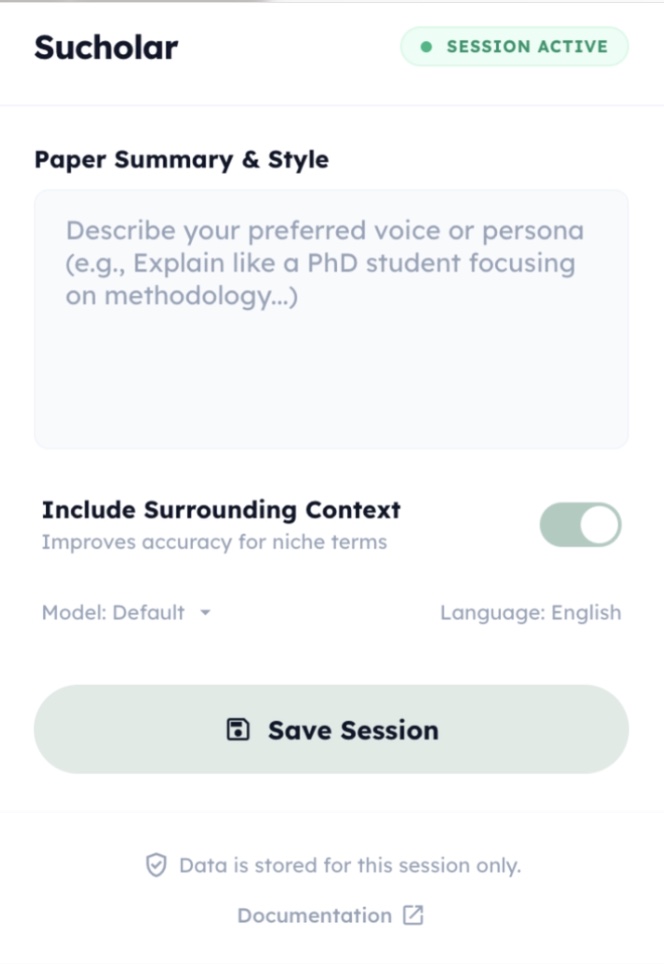
To match the reader instead of a generic reading level, it accepts a sample of their own writing, a doc, pdf, or txt, and uses it to gauge their language and perspective and personalize how it explains things.
The build
The content script handles the pill and bottom sheet; the service worker calls Gemini and holds the reference doc.
Gemini 2.5 Flash does the rewriting, chosen for fast, text-only responses; the work here did not need a heavier model. The rest is a Manifest V3 Chrome extension: a content script injects into the page to watch for the selection, render the pill and the bottom-sheet UI, and capture the surrounding context, while a background service worker makes the Gemini calls and holds the uploaded reference document. The name is the soft part: Sucholary, Suyeon plus scholarly, a tool for my scholarly, passionate-learner girlfriend.
How it landed
Personalizing 'explain it at my level' from almost no signal is harder than it looks.
Honestly, it did not land. I tested it a few times and liked the idea, and Suyeon tried it a handful of times, but the explanations kept missing her level. The fallback would simplify too far, explaining a concept as if to a three-year-old cousin, and she did not want to be treated like a baby. I reworked the fallback prompt to lean harder on the reader's own writing to infer their level and perspective, but a short note is thin evidence to model someone from, and it never really got there.
That is the honest lesson of this one: personalizing "explain it at my level" from almost no signal is harder than it looks, and over-simplifying is its own kind of condescension. A sandbox piece, rough edges left visible.