VendorPass came out of two days at the Boston Tech Week 2026. As part of the Techstars Startup Weekend, I teamed up with Chaitanya, Douglas, and Mekhal to tackle one problem and built a working product against the clock. I led design and product, shaping the flows and the interface, while teammates ran user research and business planning. What we shipped by Sunday is the app embedded above.
The idea was a two-sided marketplace. On one side, help property managers find local contractors (vendors), such as plumbers, electricians, and landscapers, who are licensed and qualified for the job; on the other, give those contractors a new promotional channel. For the property managers, the hard part is not finding a contractor. It is trusting that the paperwork behind them is real and still current.
The problem
The idea sprang from one team member's observation. A property manager juggles vendors across many buildings, and compliance is a liability minefield. An expired certificate of insurance or a lapsed business license can turn a routine repair into a lawsuit. Today that verification lives in email threads, loose PDFs, and spreadsheets that go stale the moment they are saved. Our research over the weekend kept surfacing the same thing: managers do not lack contractors, they lack a fast way to trust them. VendorPass turns that scatter into a single source of truth, where a vendor's standing is a status to read at a glance, not a folder to audit.
How it works
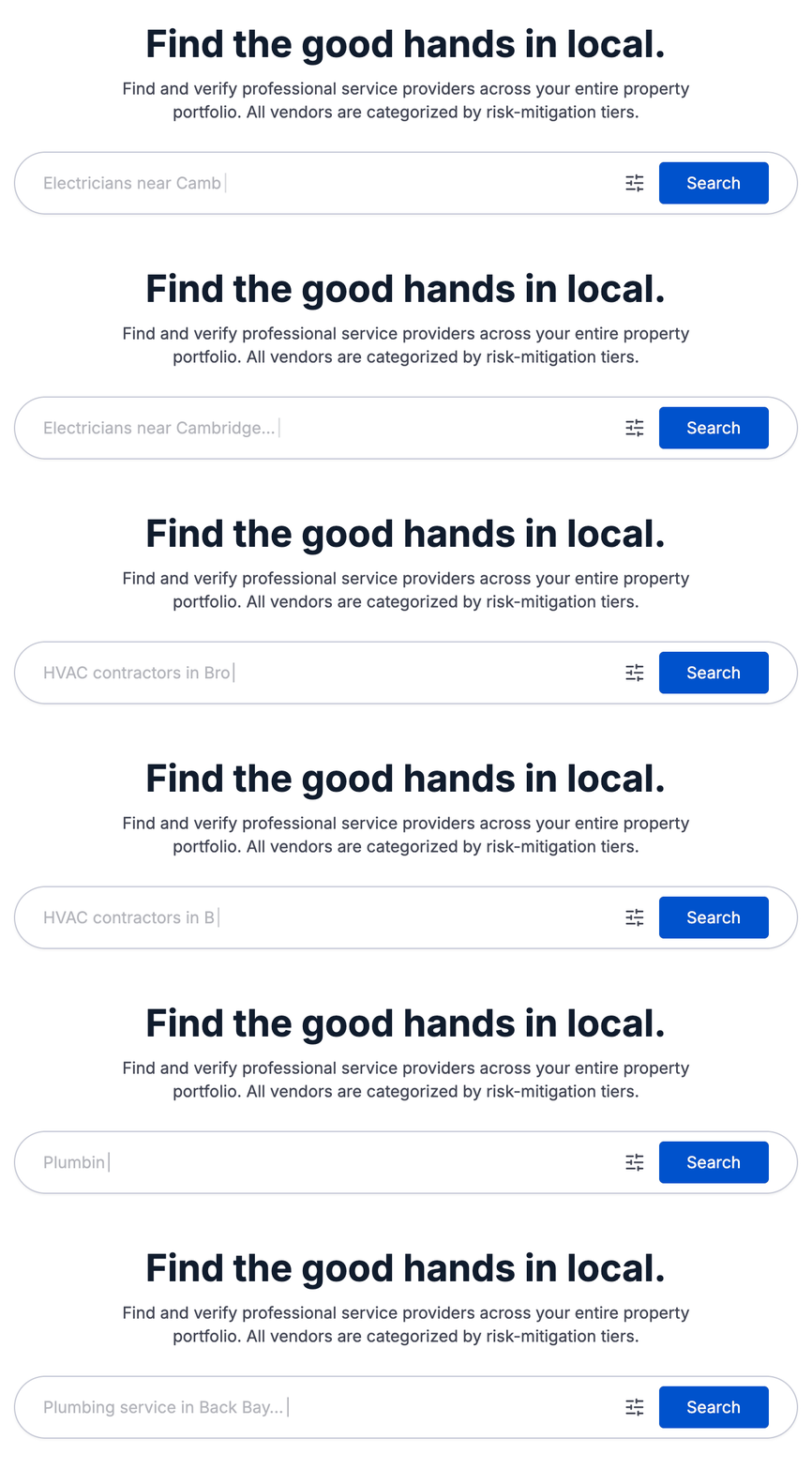
Search comes first. A property manager can browse the marketplace through natural language (parking lot snow plow in watertown, or hotel restroom plumbing in back bay, etc.) for specific trade and zip code before creating an account, so they can size up the local supply before committing to anything. Discovery is the product; the account waits until they actually want to invite a vendor to a project. Public search only ever reads a vendor's public-safe fields, so nobody's contact details leak into a browse.
Inviting a vendor is what unlocks their private contact info and creates the working relationship. An existing vendor receives a project invite; a new one gets a signup link, completes onboarding, and accepts or declines from their own dashboard. Contact details stay locked behind that accepted invite, never exposed to every property manager who happens to search.
Verification tiers
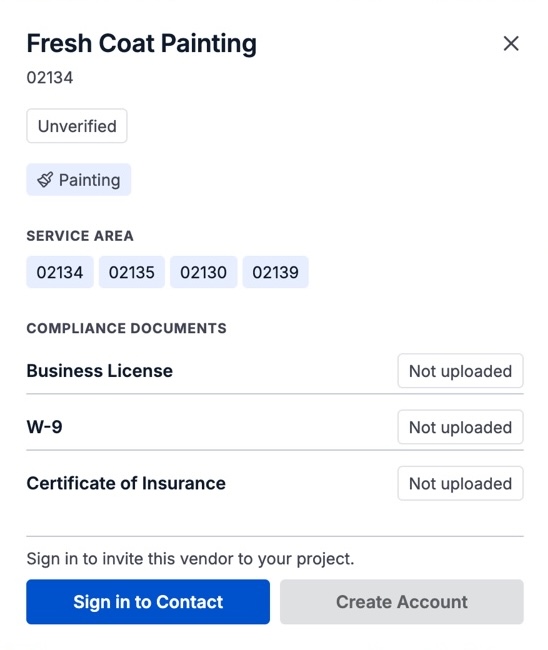
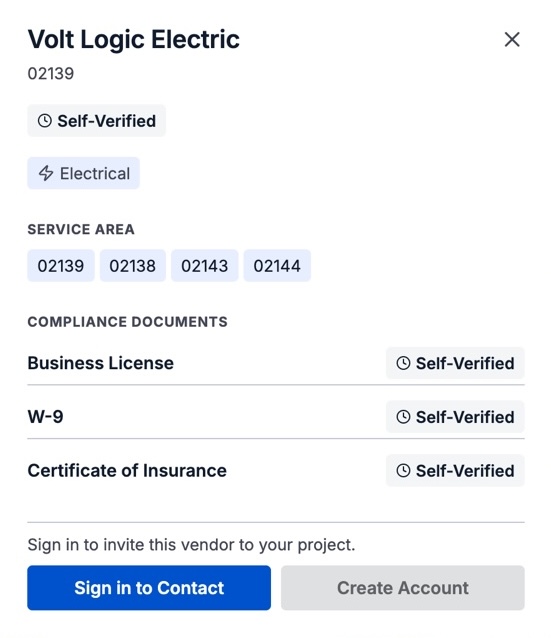
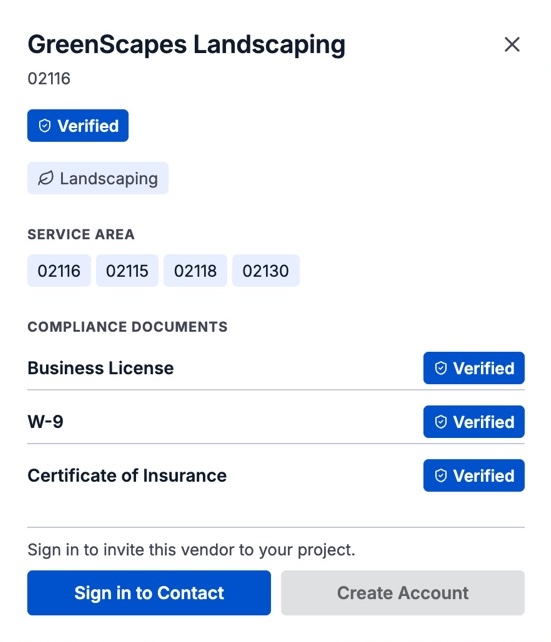
This is the core idea, and the part I designed the whole interface around. Every vendor document, a business license, a W-9, a certificate of insurance, moves through three tiers of trust, and the whole interface is colored by that status. The AI reads the document, and people decide what it is worth: Google Document AI extracts the fields, the vendor confirms what was read rather than retyping it, and only an admin can promote a vendor to Verified.
The hierarchies and visual cues make the weight of an element track its compliance status directly. A roster reads like a blueprint where the trustworthy things are literally bolder, so a manager scanning a list feels the risk before they read a single field.
The build
Uploads flow into Google Document AI, one processor per document type, which extracts the fields that matter: policy numbers, expiration dates, license IDs. Every verification-changing write is a server-owned Cloud Function, so a vendor can never mark themselves Tier 3; promotion is admin-gated on purpose, because a trust signal is only worth anything if it cannot be self-issued.
Vendor data is split public and private at the database level: search reads only name, zip, and categories, while contact details sit in a locked subdocument opened only on invite acceptance. The front end is React, Vite, and Tailwind; the back end is Firebase across Auth, Firestore, Storage, and Functions, with a Trigger Email extension queuing the invite mail. Ambitious for 54 hours, which is exactly the point of the format.
How it landed
By Sunday we had a live marketplace, a real document-to-tier pipeline, and a design system that made the trust model legible at a glance, which is more than most weekends produce. The piece I am proudest of is that verification model, the way three tiers turn a compliance chore into something that reads instantly. The honest open question is everything downstream of a real vendor base: the tiers only mean something once enough vendors have uploaded real documents and enough admins have done the promoting, and that chicken-and-egg problem is not something a weekend, or design alone, can solve. What the weekend did prove is the shape of the answer.